Contacts
🧑 Contacts Overview
Everyone you interact with; applicants, landlords, vendors, contractors, solicitors, estate agents, companies, and more should be recorded as a Contact within the system.
The Contacts Screen is designed to help you manage these relationships efficiently:
Each contact is assigned a Contact Type to identify their role.
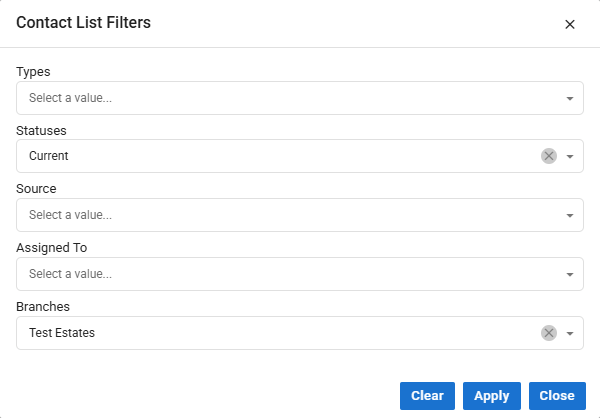
You can refine your view by using the filter button, located on the top-right corner of the heading bar.
✅ Tip: Use filters to quickly locate specific contact types, streamlining your workflow and saving valuable time.

Applicant Requirements
When working with Applicants, it's crucial to complete the Requirements screen accurately. This ensures that properties can be matched based on the applicant's specific criteria, leading to more relevant search results and a smoother experience.
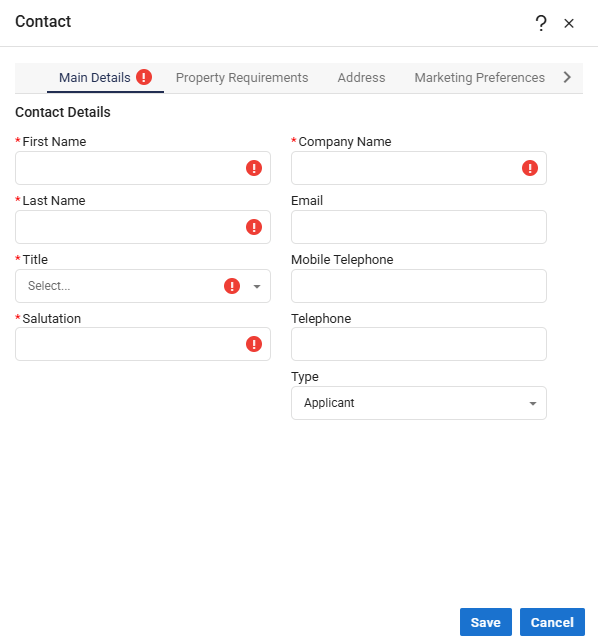
To save an applicant’s Contact record:
Certain fields are mandatory and must be completed.
Incomplete entries will prevent the record from being stored successfully.
⚠️ Tip: Double-check the Requirements screen before saving - accuracy here directly impacts match quality.
Contact Type Selection & Duplicate Checking
Selecting the correct Contact Type is essential, as it determines how Acquaint processes and displays information for that record. Assigning the appropriate type ensures accurate categorisation and functionality across the system.
Acquaint also includes built-in safeguards:
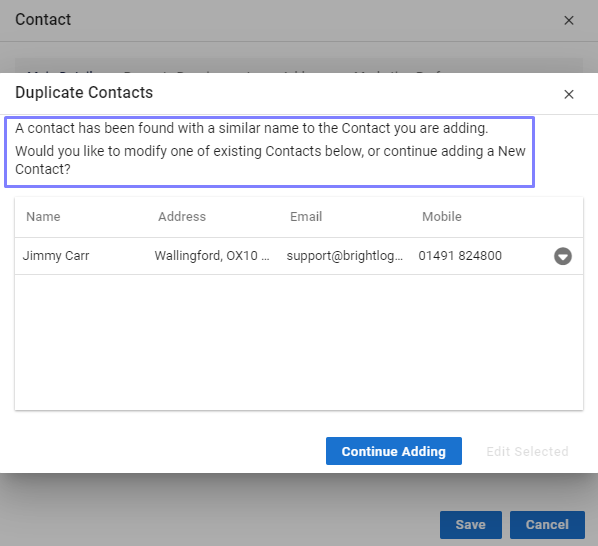
Once First Name and Last Name fields are entered, the system automatically checks for existing records to prevent duplicate Contacts.
✅ Tip: Always verify the Contact Type before saving to maintain clean, organised data