
Contacts Statuses
Each Contact is allocated a Status.
This describes what level the Contact is, for example, Current, Archived etc.
New Statuses can be created at any time and there is no limit to the number of them defined. Add or Edit Statuses via your Profile Icon → Configuration, select “Statuses” select either New or Edit.
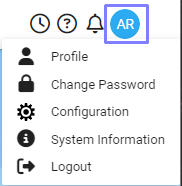
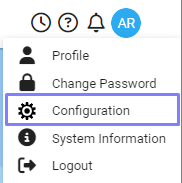
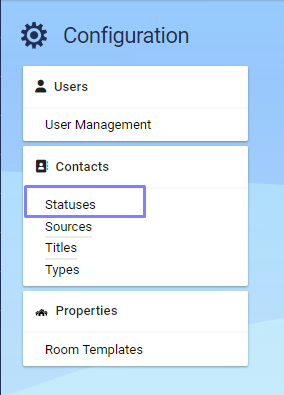
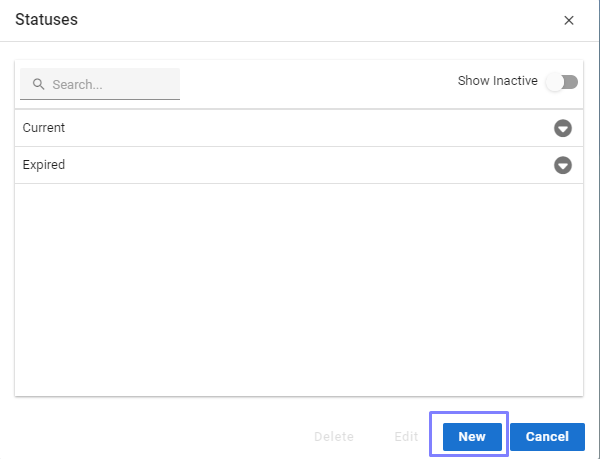
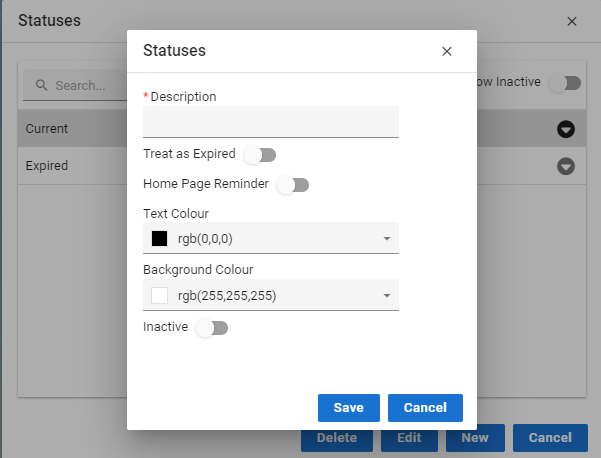
When creating a Status the following fields can be specified:
Description - specify a description for the Status.
Treat as Expired - any Contacts with this Status will be excluded from matches.
Home Page Reminder - displays on the Home Page with a total of the number of Contacts of that Status
Text Colour - choose a custom text colour
Background Colour - choose a custom background colour
Inactive - if the Status is no longer to be used. This will stop it appearing in the lookup table.
Acquaint automatically creates a number of default Contact Statuses:
Current
Expired