Contacts Titles
Each Contact is allocated a Title e.g. Mr, Mrs, Ms etc.
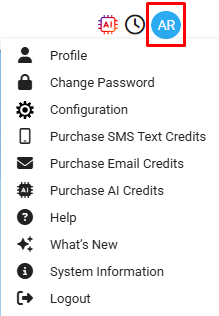
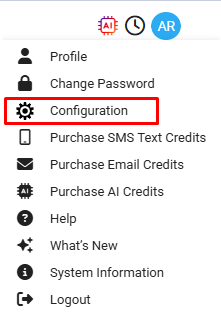
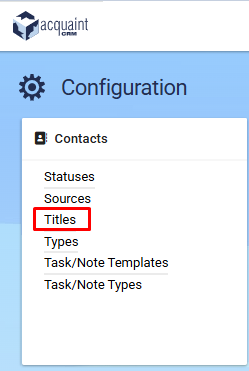
Contact Titles can be accessed via Profile Icon → Configuration → Contact Titles
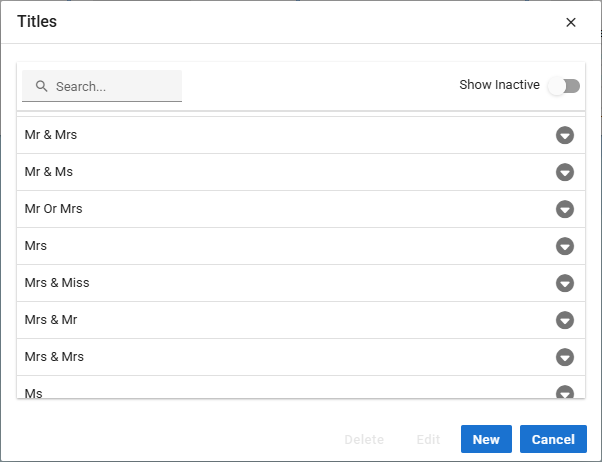
New Titles can be created at any time, and there is no limit to the number of them definable titles that can be added.
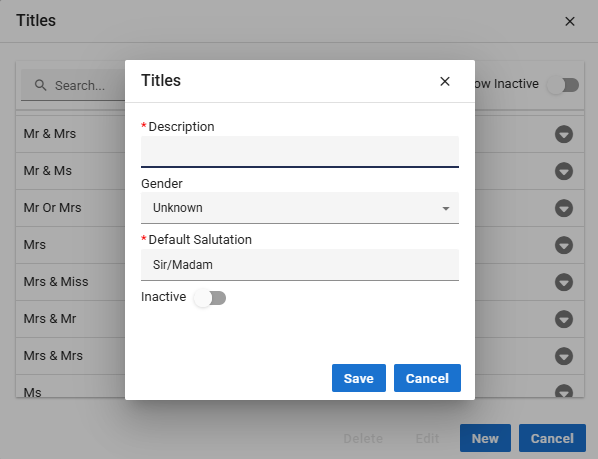
When creating a Title the following fields can be specified:
Description - specify a description for the Title.
Gender - select either Male, Female or Unknown from the drop-down list.
Default Salutation - usually a Contact's Salutation will be their First Name, or their Title and their Last Name. If neither of these are available, e.g. if a Company is entered, then the Salutation can be defaulted to a generic value such as "Sir/Madam".
Inactive - select this checkbox if the Title is no longer to be used. This will stop it appearing in the lookup table.