Email Engagements
👁️ Tracking Email Views with the Engagements Tab
Want to know when a Contact has viewed your email? With Acquaint's Email Engagements tab, you can now track exactly when each email is opened.
📍 Where to Find Engagements
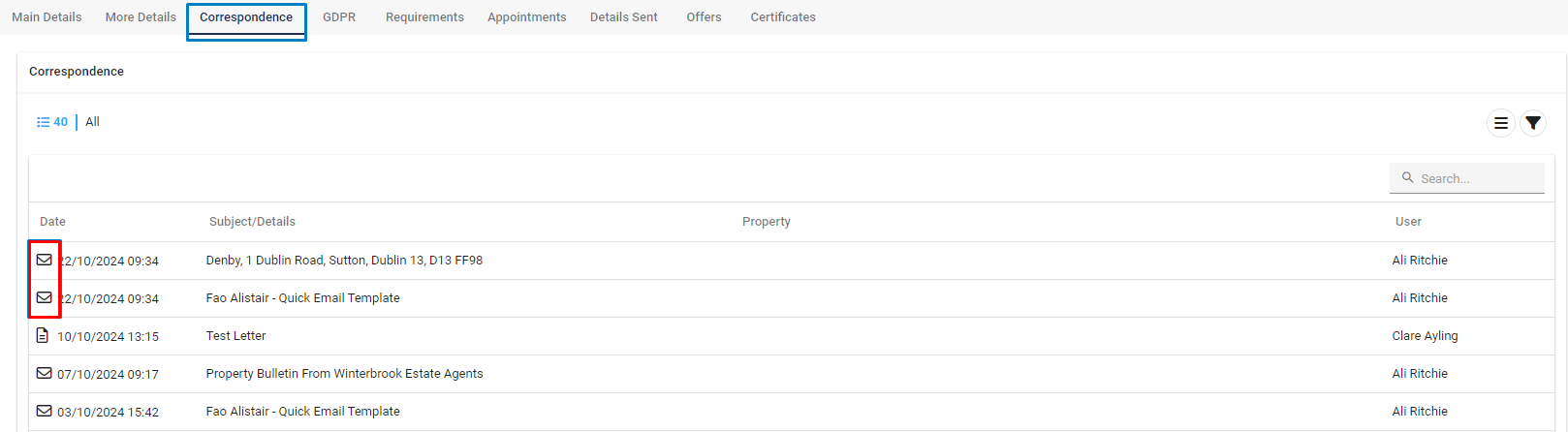
The Engagements tab is located within the Email modal in the Correspondence tab of a Contact Record.
🔁 Step-by-Step Guide:
Open the Contact Record you’d like to check.
Click the Correspondence tab.
Locate the email you’ve sent (indicated by the 📧 email icon).
Double-click the email to open the Email modal.
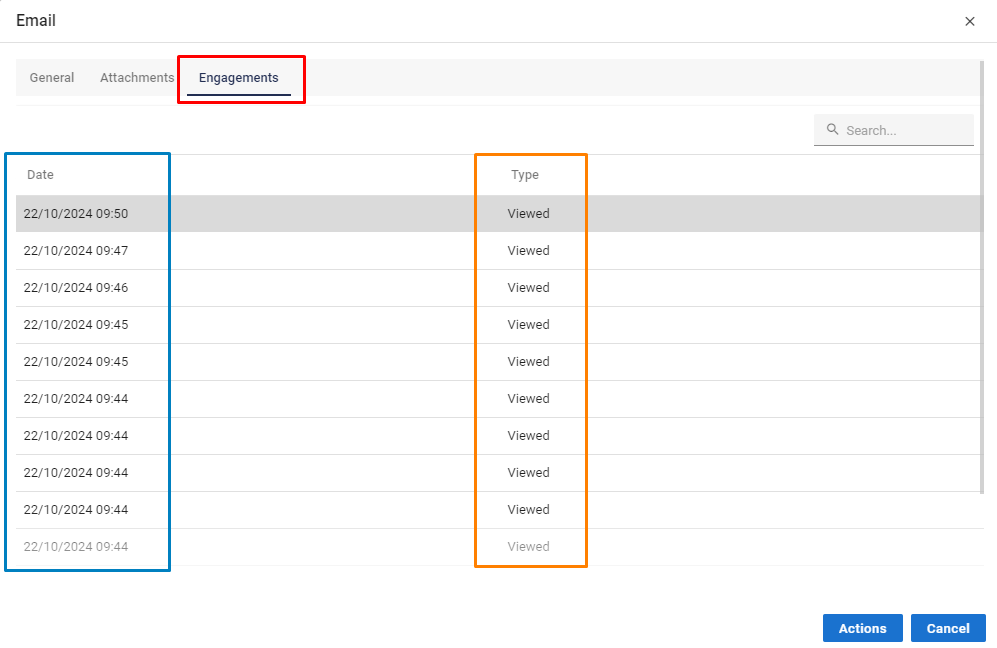
Click the Engagements tab.
🕒 What You'll See
The Engagements tab displays:
The date and time the email was opened
A record for each individual view (multiple views will appear separately)
✅ Tip: Use this feature to monitor lead interest, improve follow-up timing, or confirm successful delivery.