
Letters
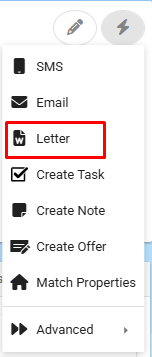
Letters can be sent to any Contact from the Contacts, Property, and Certificates screen via the action menu and then selecting Letter.
The contents and behaviour of a Letter is based upon a Letter Template which is used to generate a Microsoft Word document.
Choose the Letter you wish to send by selecting it from the Letter Templates lookup table.
The letter will be stored in the Contact's Correspondence screen.
If you generate a letter from a Property this will also be saved against the Properties Correspondence.

Watching the video below will help you generate a letter from a Property.
(This will work the same way on a Contact)