
Notes
📝 Using Notes on Contact and Property Records
Notes are a powerful way to store important information directly on Contact or Property records. They help your team stay informed, organized, and efficient.
💡 Why Use Notes?
Notes are ideal for capturing details that don’t belong in standard fields but are still essential. For example:
If you're attending a property viewing and need an alarm code to enter, you can leave a note on the Property or Contact record.
This ensures the information is easy to find and accessible to anyone who needs it.
✍️ How to Create a Note
To add a note:
Click Create New from the side navigation menu
Select Note
This opens the Note editor, where you can fill in the following fields:
Field | Description |
Contact | Link the note to a specific contact |
Property | Link the note to a specific property |
Subject | A short title or summary |
Body | The full note content |
Type | Categorize the note (e.g. Viewing, Alert, Info) |
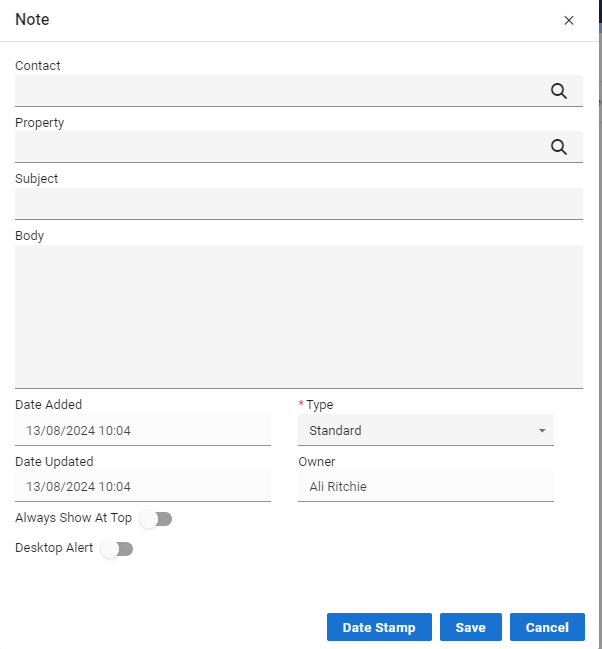
🔔 Optional Settings
You can also choose:
Desktop Alert – Show a pop-up notification when the note is triggered
Always Show at Top – Pin the note to the top of the Correspondence section for quick access