
Properties
🏡 Managing Property Records in Acquaint
Acquaint makes it easy to store and manage comprehensive property details. Each Property record can include:
General Overview
Room Details
Pricing and Services
Directions to the Property
Linked Photos and External Documents
Additional activity logs such as Offers, Details Sent, Publications, and Appointments are also recorded, providing a complete history of interactions tied to the Property.
🔍 Navigating Property Information
Property records are managed via two intuitive screens:
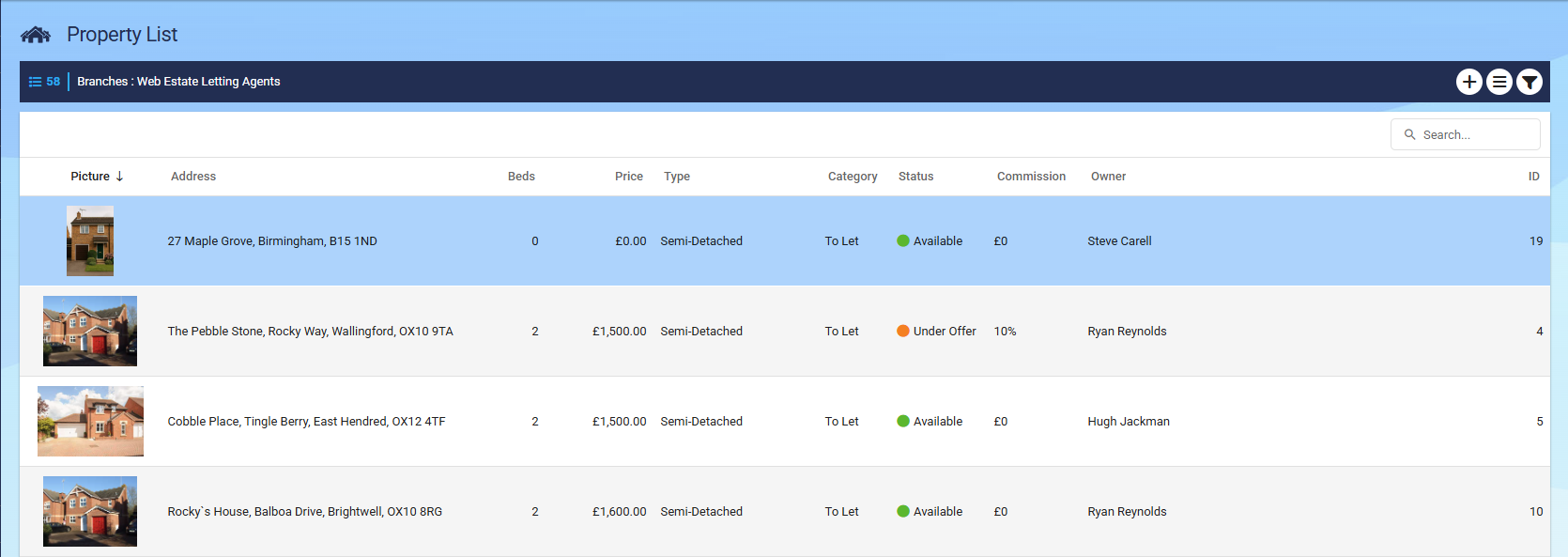
📋 Property List Screen
Displays a searchable list of all Properties, which can be filtered by:
Category
Type
Status
Management Type
...and many other criteria
🏷️ Property Detail Screen
Shows full information for a selected Property, including all associated records and activity.
✅ Tip: Use filters in the Property List to quickly locate and access specific records for efficient workflow management.
🏷️ Property Screen Overview
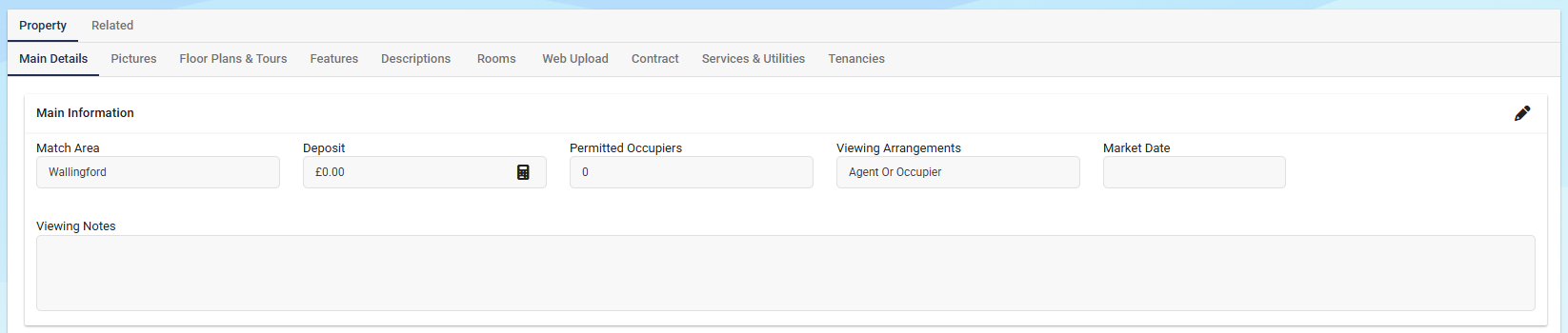
The Property screen includes a variety of tabs, each designed to manage specific aspects of a property record. These tabs make it easy to view, update, and maintain comprehensive property details.

These have been split into Property and Related Tabs.
Property
Main Details - core property information such as address, category, and status
Pictures - upload, manage, and preview property images
Floor Plans & Tours - add digital floor plans and virtual tour links
Features - list key amenities and selling points
Descriptions - enter property descriptions for marketing use
Rooms - define room types, layouts, and measurements
Web Upload - manage online listing options
Contract - store and reference contract terms and documentation
Services & Utilities - log services like broadband, gas, water, etc
Tenancies - will display all tenancies linked to the property (only shown on 'to let' properties)
Related
Correspondence - track emails and communications related to the property
Appointments - view and schedule property-related meetings
Details Sent - record when and to whom property information has been shared
Offers - track received offers and negotiation history
Certificates - upload compliance documents such as EPCs or safety certificates
Journal - provides an audit trail of changes made to Property records
Progression - offers a clear and streamlined view of a properties status
Work Orders - view and manage Work Orders
Keys - shows all keys that are linked with the current property
✅ Tip: Use these tabs to ensure each property is fully documented and ready for marketing, viewings, and compliance.
➡️ Advanced Actions in the Property Record
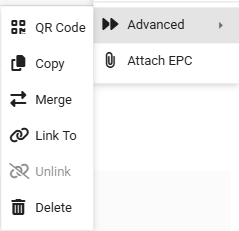
Within the Action Menu tab of a Property record, you'll find additional options located under the Advanced section. These tools support property management, data accuracy, and workflow flexibility.
Available Advanced Actions:
QR Code - generate a scannable code linking to the property record
Copy Property - create a duplicate property record
Merge Properties - combine records to eliminate duplicates and consolidate data
Link To / Unlink - associate or disassociate the Property with another related Property record
Delete - permanently remove the Property record (use with caution)
Tip: Advanced actions help streamline data management - ideal for bulk updates, record corrections, or linking portfolio properties.