Website News
The Website News function allows you to add new items to your website, if your website has been created by Bright Logic Ltd.
The news items can also be uploaded to your Twitter and Facebook pages.
Our automatic portal uploading system will automatically take your news stories and feed them to your subscribed portals and social networking sites.

When uploading an image to a news item, please make sure you have the rights to use the image or the image is copyright free.
https://youtu.be/4G943FkgV_0
Adding a Website News item
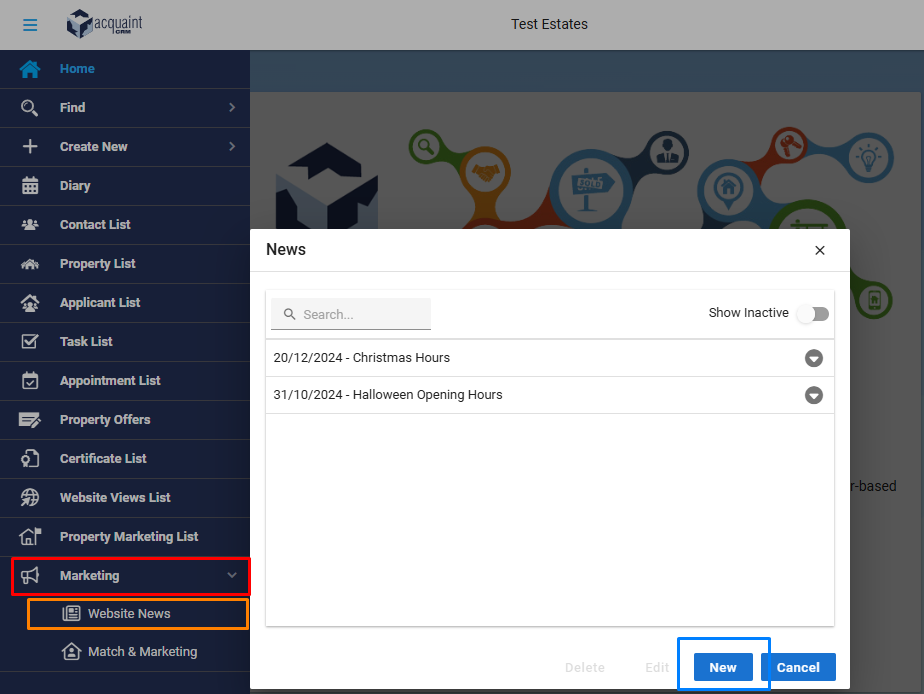
Click the Marketing tab on the side navigation bar
Click Website News.
Click the New button.
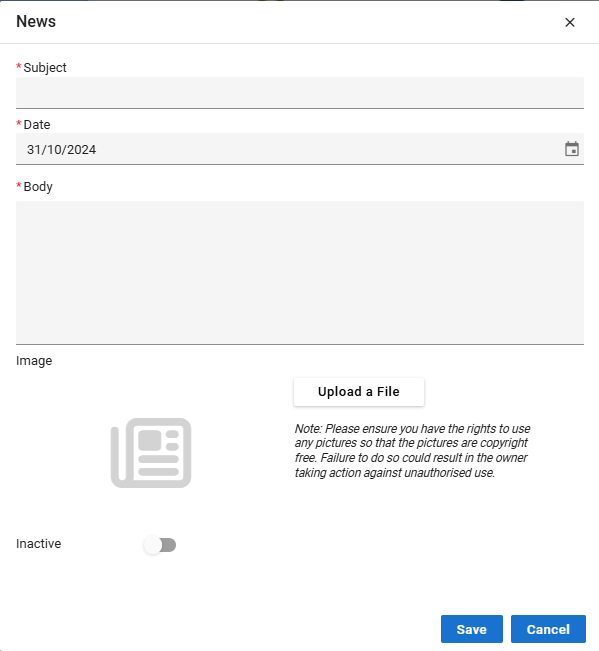
Enter a headline in the Subject field.
In the Date field enter the date of the news.
Type the article in the Body field.
Select a picture to upload alongside the article by clicking Add.
Click Save.
The news article will be added to the upload queue to be automatically uploaded.
Removing a Website News item
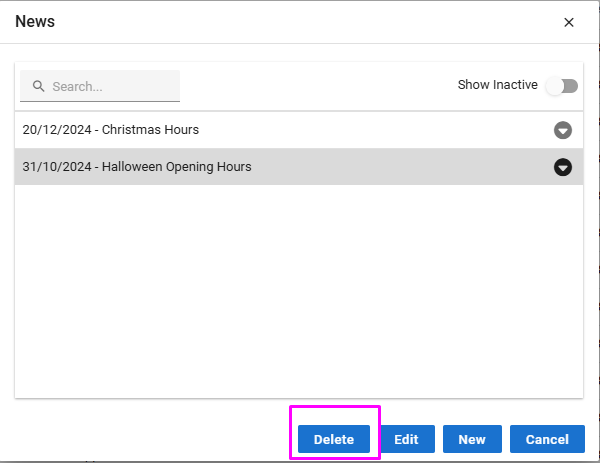
Open the Website News tab.
Click on the one you’d like to delete.
Make sure this is highlighted.
Click the Delete button at the bottom of screen.
Click Yes.