Applicant List
📋 Applicant List Overview
The Applicant List displays all Contacts with defined Property Requirements and a Status of Current. This includes:
Contacts with the type Applicant
Vendors and Landlords who have active property requirements
🧾 Displayed Information
Each entry in the list shows key details, including:
First Name
Last Name
Telephone Numbers
Category (Rent or Buy)
Beds
Minimum Price
Maximum Price
Market Position
Additional Requirements
Last Contacted Date
🔍 Filtering Options
To narrow the list, you can apply filters using the following criteria:
Categories
Usages
Market Position
Areas
Types
Statuses
Source
Assigned To
Branches
Minimum Land Area / Maximum Land Area
Minimum Price / Maximum Price
Minimum Bedrooms / Maximum Bedrooms
Minimum Floor Area / Maximum Floor Area
✅ Tip: Filtering helps you quickly locate relevant applicants, streamlining match-making and follow-up.
➕ Adding a Contact via the Applicant List
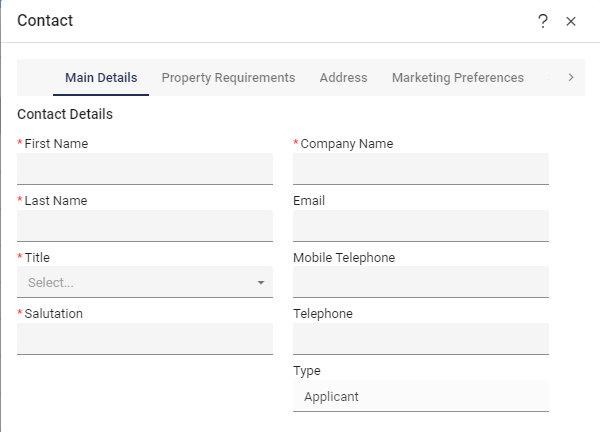
When adding a new Contact from the Applicant List interface, be sure to complete the required fields:
Mandatory fields are marked with an asterisk ()*
The Company Name field is only mandatory if First Name and Last Name are left blank (e.g., for utility suppliers or corporate contacts)
⚠️ Always confirm whether the Contact represents an individual or a company to ensure proper data entry.
Main Details:
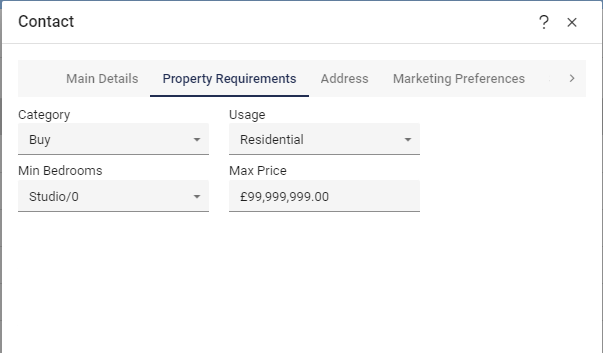
Property Requirements:
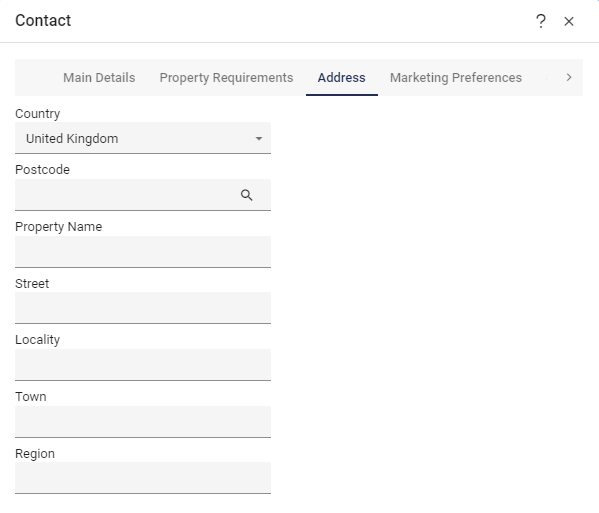
Address:
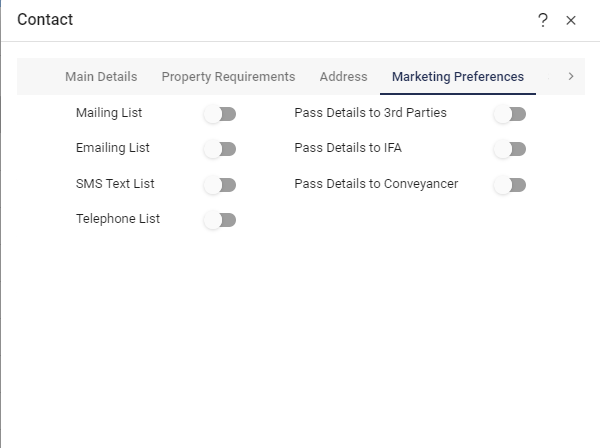
Marketing Preferences: