
Deleting Contacts
Deleting Contacts is very easy to do within the web application.
Open the Contact you wish to delete.
Select the Action Menu
Click Delete
Select Yes to the pop up message

If you receive this error, it means that something is stopping you from being able to delete the Contact.
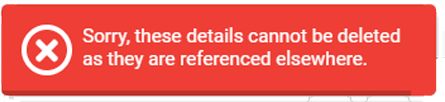
This can be different things a few examples below:
Offers on a Property linked to the Contact.
You have Certificates against the Contact.
Appointments against the Contact.
If they belong to a Tenancy.
If they own a Property.
If they have transactions against their Contact record.