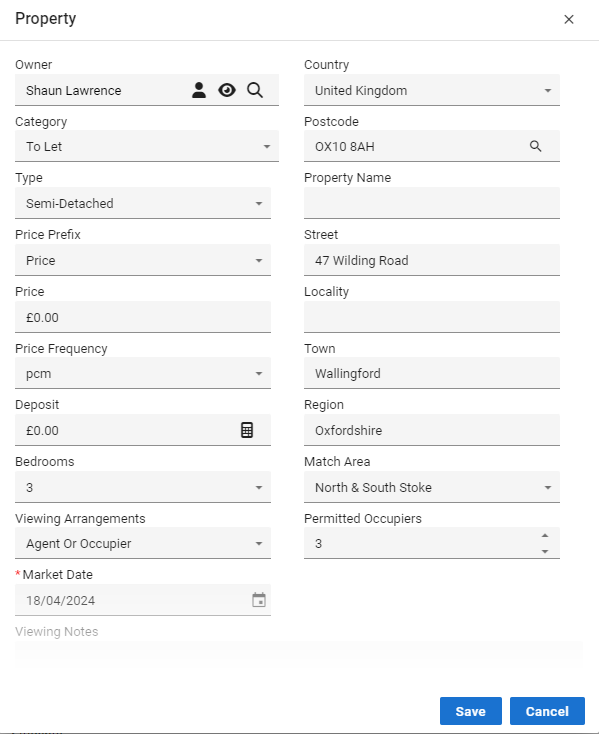
Editing a Property
⚙️ Customising Property Details in Acquaint
You can easily tailor a Property record to suit your preferences by editing key fields directly within the Property screen.
🛠️ How to Edit:
Locate the desired Property using the Find tool or from the Property List.
Click the Edit button at the top of the screen or use the Edit (pencil) icon beside individual fields.
This will unlock editable options across multiple areas of the Property record, allowing you to update details as needed.
✏️ Common Fields You Can Edit:
Price
Owner
Property Type
Address
Price Prefix (e.g., "Guide Price", "Offers Over")
✅ Tip: Keep records accurate and consistent to ensure smooth portal uploads and clear marketing communication.