
Journal
📘 Property Journal Overview
The Journal screen in Acquaint provides an audit trail of changes made to Property records. It logs key activity for transparency and accountability, making it easy to track updates over time.
The Journal can be found in two places. One on the main left ribbon menu as a separate entity, and secondly on a property record, this will be found along the tabs.
The filtering options work exactly the same way on both sections.
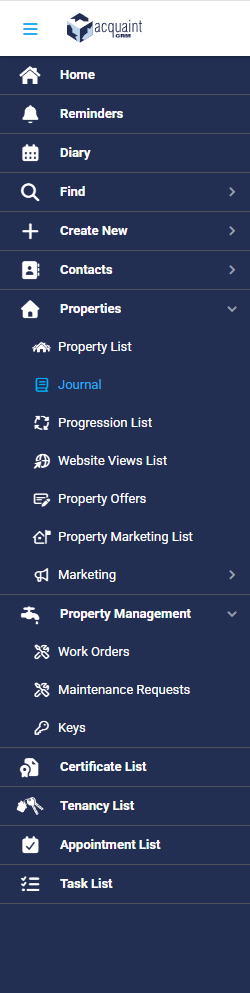

To see the Journal from a Property the following steps get you there:
Property Record → Related Tab → Journal
Here you will be able to see all changes made to the property record.
🖥️ Displayed Details
Each journal entry displays the following:
Date – when the change was made
Contact – person involved (if applicable)
Property – the property record affected
Type – nature of the event
Old Value – previous data
New Value – updated data
User – the individual who made the change
📝 Recorded Event Types
The Journal captures a variety of updates, including:
Property Added
Price Change
Board Change
Status Change
Owner Change
Market Date Changed
✅ Tip: Use these entries to verify listing history, resolve discrepancies, or review team activity.
🔍 Journal Filters
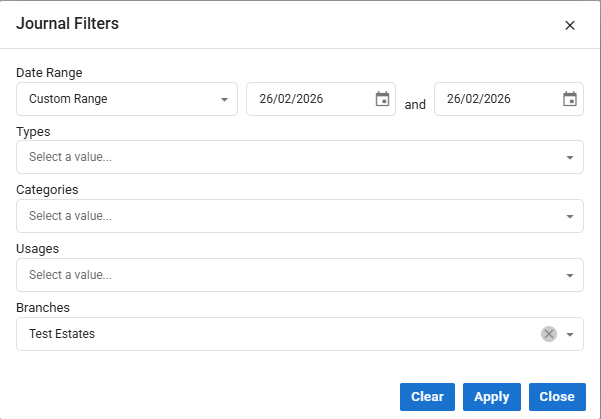
Use this filter to pinpoint specific changes, such as pricing adjustments or ownership updates.
You can refine the Journal view using the following filters:
Date Range
Types
Board Change
Price Change
Status Change
Property Added
Owner Change
Market Date Changed
Usage
Residential
Commercial
Category
For Sale
To Let
Branches -Refers to the office or team responsible for managing the property.

📍 Ideal for multi-branch agencies to view updates by location or department.