
AI Property Listing
How to Use AI Property Listing Tool
Follow these steps to generate a full property listing using the AI tool.
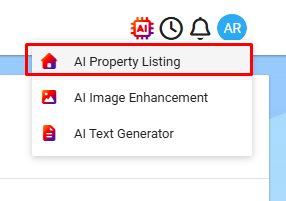
Open the AI Tools
Click the AI button at the top of the screen.
Select AI Property Listing from the menu.
Find Your Property
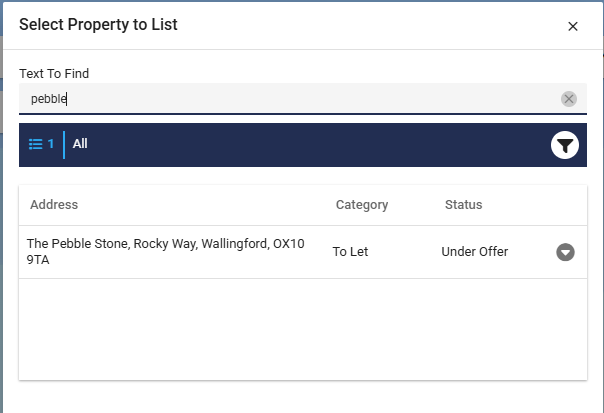
Use the search bar to locate your property.

You can use #[then the ID of the property].
E.g. #1001222
Add Your Photos
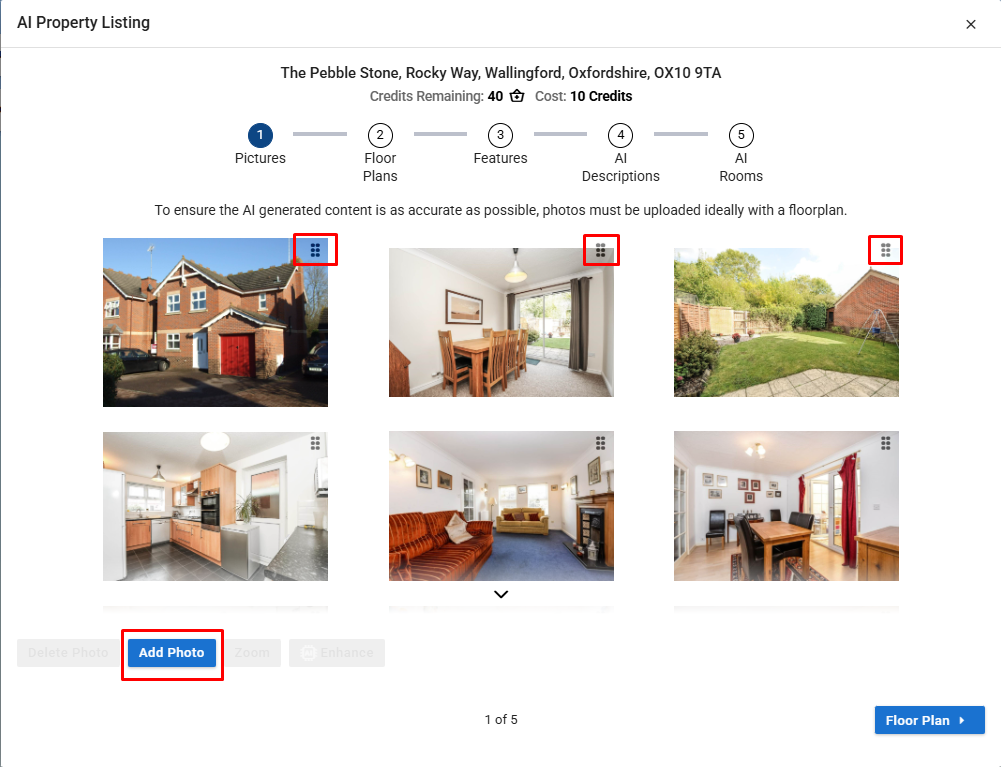
Click Add Photos to upload your images.
Rearrange the order if needed - this order will be used when uploading to portals.
Using the dragging option provided in the image you can change the order of photos.
Enhance Your Photos (Optional)
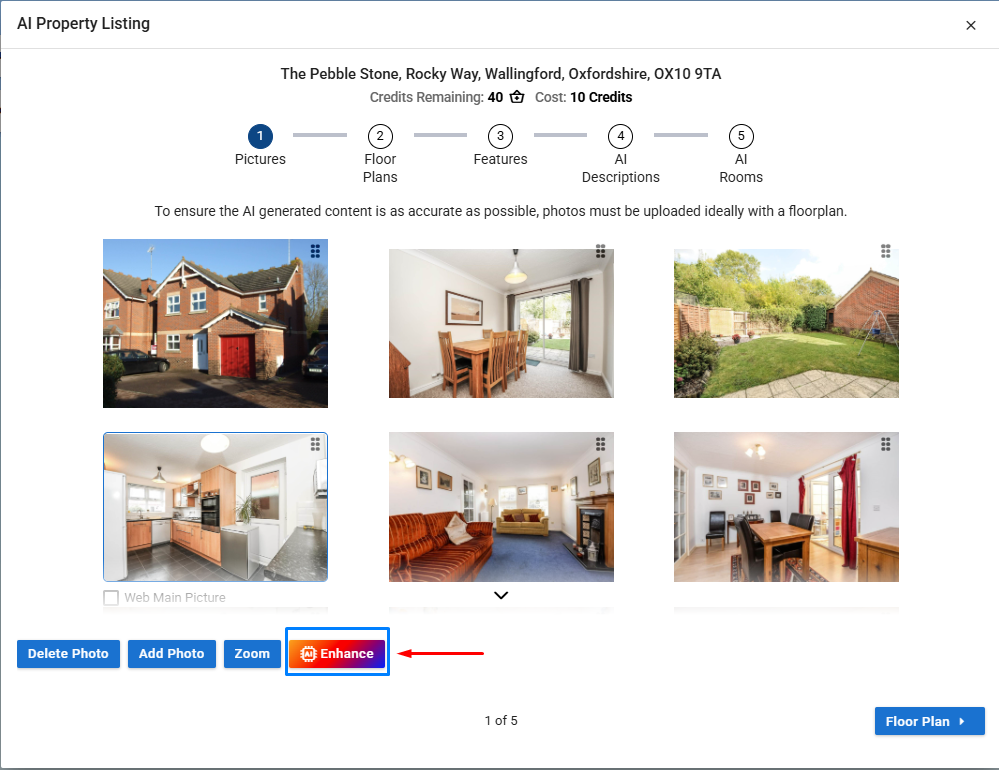
While still on the photo screen, you can enhance any image.
For more information on enhancing, click the help link provided.
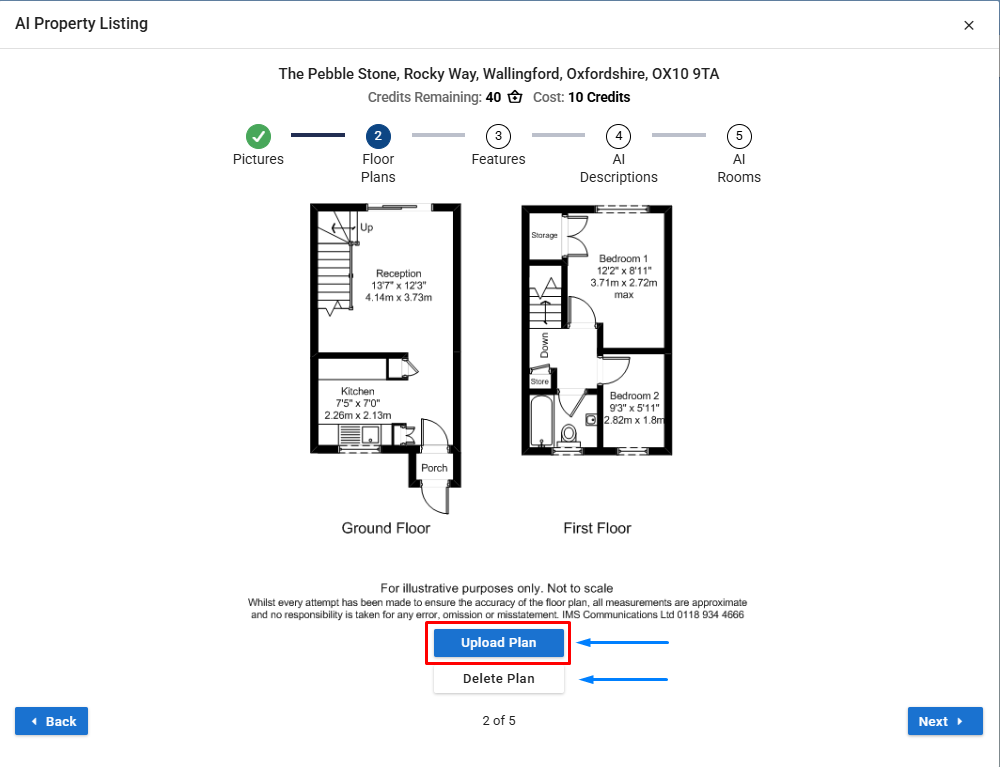
Add a Floorplan (Optional)
Click the Floor Plan button.
Upload your floorplan file if you have one.

If you upload the wrong floorplan, use the delete plan button and re-upload the correct one.
Complete the Features Section
Review the automatically generated features.
Add or edit any features that are missing.
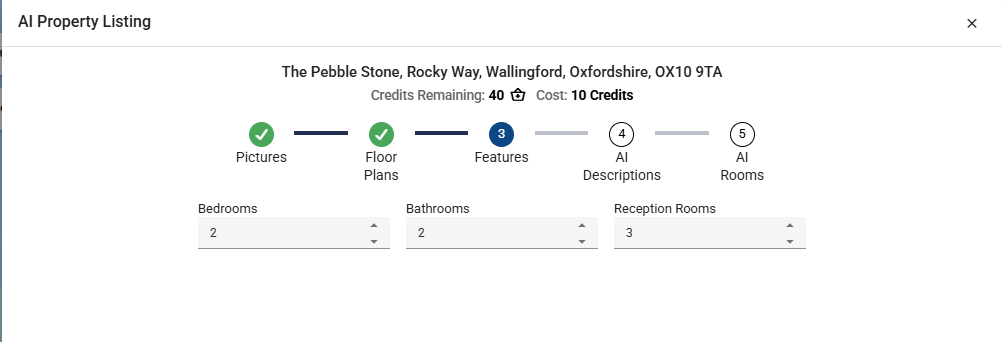
More features to be added in the future.
Generate Your Listing
Click Generate.
The AI will create:
A brief description
A full description
Bullet‑point highlights (10)
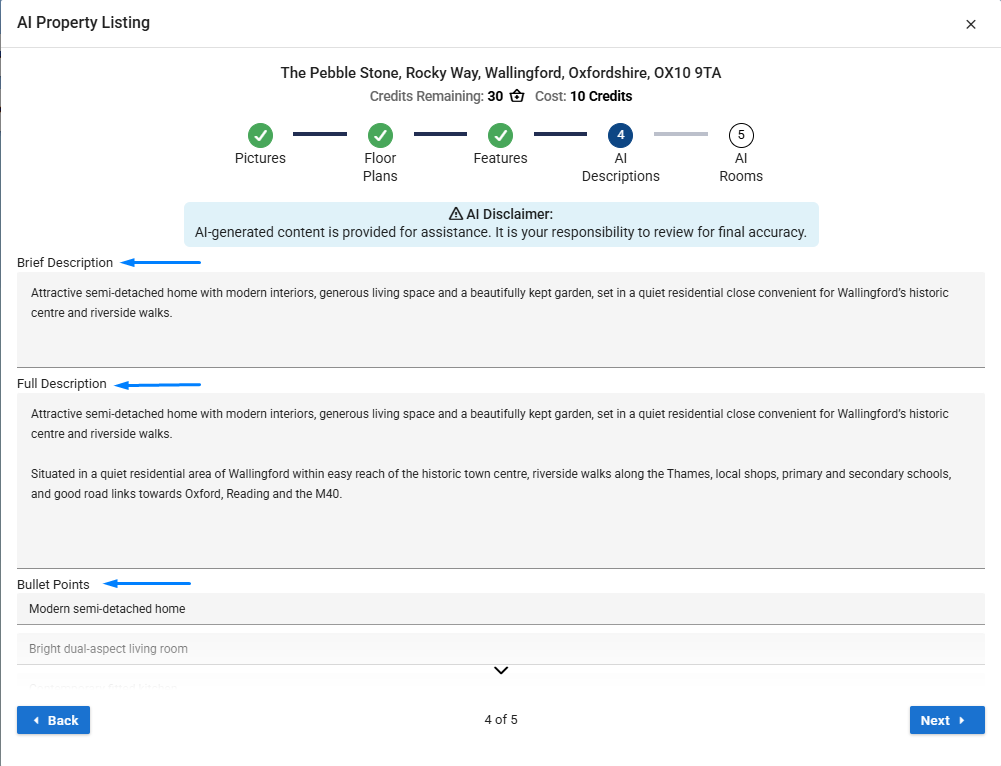
All text is fully editable adjust anything you’re not happy with.
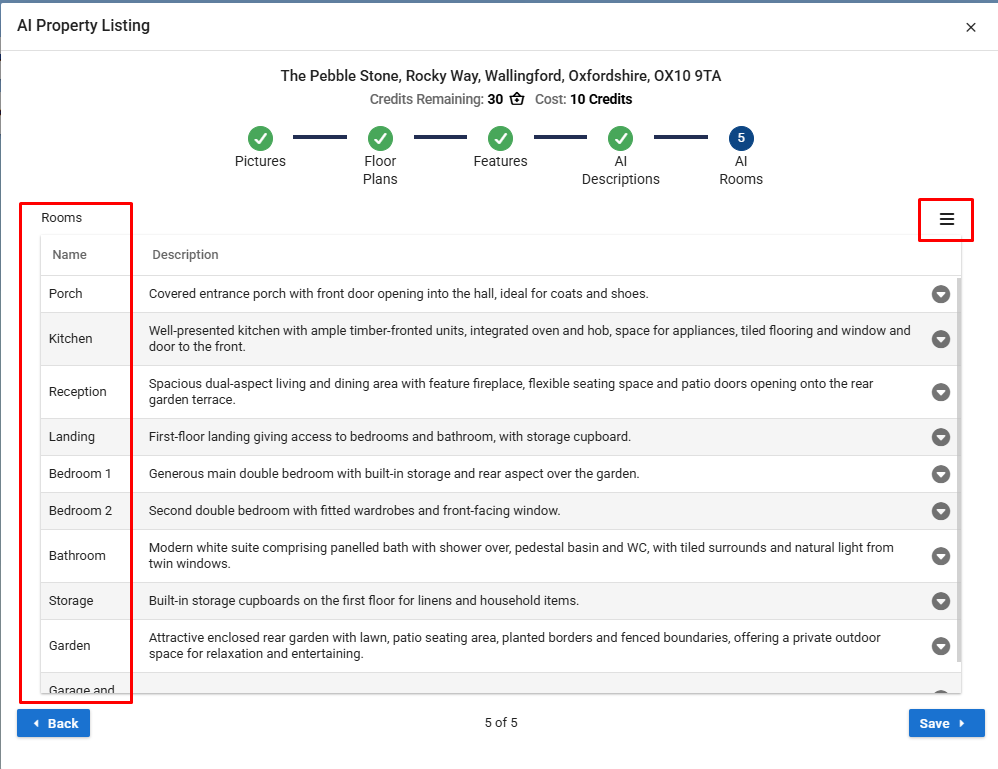
Review the Rooms Page
The system reads room information from your floorplan and photos.
Edit room details or delete any rooms you don’t want included.
This can be done via the Menu button on the right hand side. (make sure to highlight the row you wish to change)
Save Your Listing
Once you’re happy with everything, click Save.