
Site/Branch
Within this section you will learn what the Site/Branch Settings are; Why they are important and how to Edit these particular Settings.
📘 Instructions
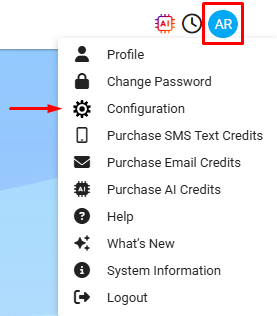
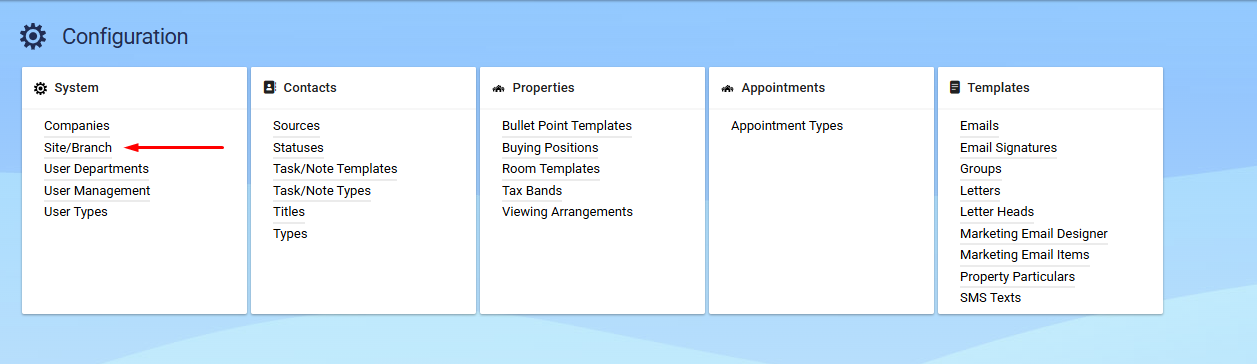
How do we get to the Settings?
Select your Profile Menu
Select Configuration
Select Site/Branch
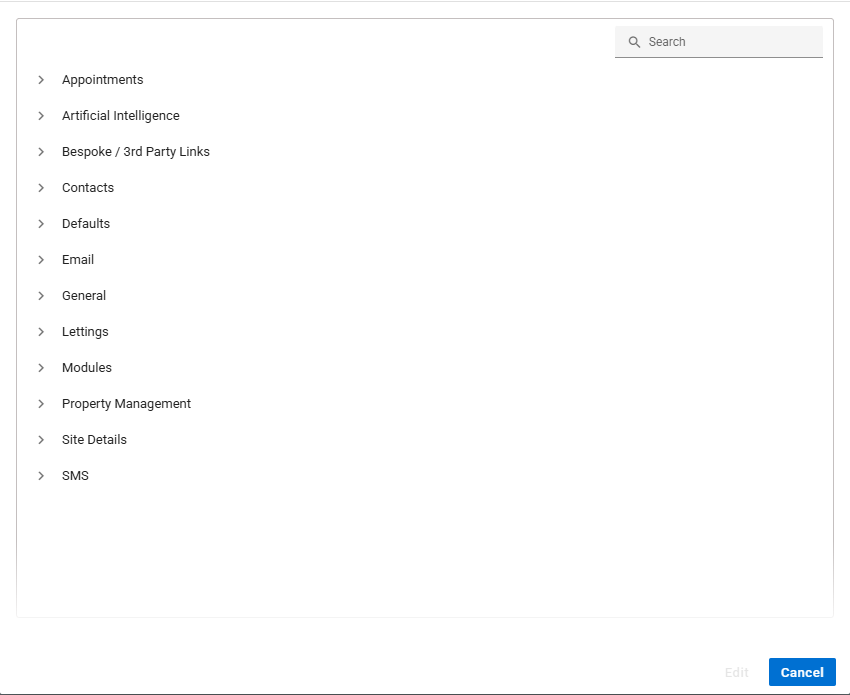
Choose your Site
Why are these Settings important?
There are many reasons why these Settings are important, to name just a few:
Help set the defaults of many Settings.
Default Contact Type.
Property Description Prompts.
You can choose which words are case sensitive.
Set up Modules.
Set your Currency that you work in.
How to Edit them?
To Edit any of these Settings you must have the Permissions first of all.
Once you have followed the steps in the Instructions part of this help topic you will see the list of all currently available (active) Site/Branch Settings.
Click on one of the drop down arrows to the left of the Header Setting as seen in the image above. (>)
Select one of the Settings you would like to change and either click the EDIT button or Double Left Mouse Click the Setting itself and change to any option that is useable.